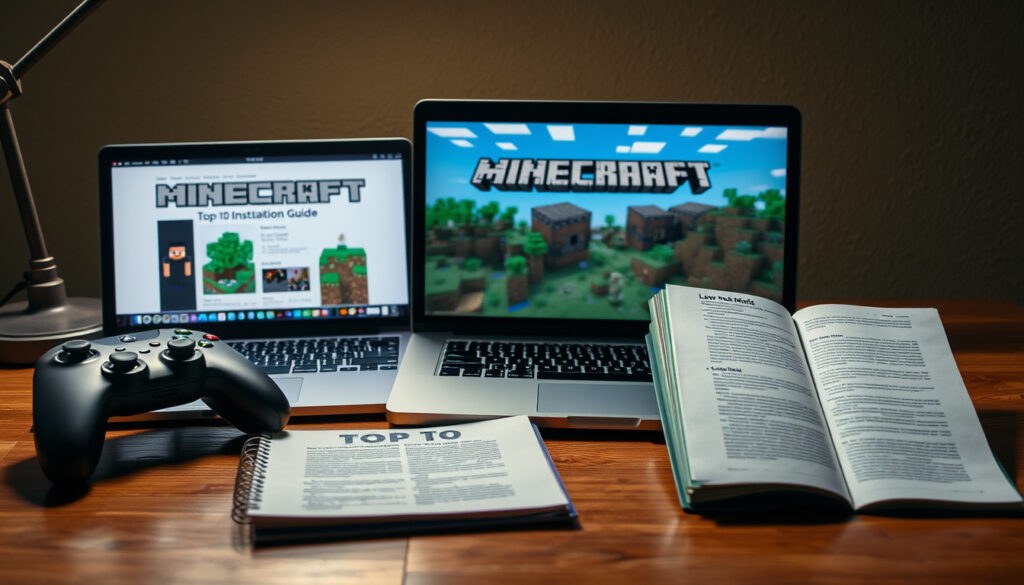
Minecraft Mods: Top 10 Best Mods, Installation Guide & Legality
If you’ve ever wanted to build a sky factory or fly around with a jetpack, you’ve probably wondered how to add mods to Minecraft, but maybe you’re unsure which mods are safe or whether your edition supports them. This guide covers the top mods, how to install them on Java, Bedrock, and mobile, and what’s worth knowing about safety and legality.
Most downloaded mod: OptiFine – over 300 million downloads ·
Primary mod loaders: Forge and Fabric ·
Mods on CurseForge: over 100,000 ·
Minecraft modding legality: Personal use allowed under Mojang EULA
Quick snapshot
- Fabric mods require Fabric API (Fabric Documentation)
- All the Mods 10 is for Minecraft 1.21.1 on CurseForge with NeoForge (GPORTAL Wiki)
- Mojang EULA allows mods for personal use (Mojang EULA)
- Exact number of 18+ mods currently on CurseForge
- Future changes to Mojang modding policy
- Long-term compatibility between mod loaders
- All the Mods 10 released 2024 for Minecraft 1.21.1 (GPORTAL Wiki)
- Fabric and NeoForge are common for new mod releases (2025 mod showcase)
- More cross-loader mods (Forge/Fabric/NeoForge) (2025 mod showcase)
- Growing interest in Quilt as an alternative loader (2025 mod video)
The table below summarises five key facts about Minecraft modding.
| Label | Value |
|---|---|
| Largest mod repository | CurseForge |
| Total mods on CurseForge | Over 100,000 |
| Primary mod loaders | Forge, Fabric, Quilt |
| Legal source | Mojang End User License Agreement |
| Parent company | Microsoft (Mojang Studios) |
What are the top 10 best mods in Minecraft?
Mods for Java Edition outnumber Bedrock addons, but both communities have standout titles. A 2025 roundup of mods for version 1.21.10 lists several that work on Fabric and NeoForge, including Classic Pipes and Moog’s Voyager Structures (YouTube top-10 video).
Top 10 mods for Java Edition
- OptiFine – Performance and shaders. Over 300 million downloads on CurseForge.
- Just Enough Items (JEI) – Recipe browser; nearly universal in modpacks.
- Create – Mechanical automation and kinetic power.
- Twilight Forest – A dimension mod with bosses and dungeons.
- Mekanism – Tech mod with nuclear reactors and ore processing.
- Better Combat Particle – Visual effects for combat, available for both Forge and Fabric (2025 mod showcase).
- Fancy Toasts – Improved notification toasts, cross-loader (same source).
- Inferno – Fire-themed expansion, Fabric-only (top-10 video).
- Wayfinder – Exploration tool, Fabric-only (mod showcase).
- Classic Pipes – Item transport, Fabric and NeoForge (video snippet).
Top 10 mods for Bedrock Edition
Bedrock addons are limited to addon files (.mcaddon) and cannot use Forge or Fabric. Popular choices include Natural Texture Pack, Veinminer, and More Mob Heads. No official top-10 list exists, but community-curated lists on CreativeMode.net highlight these.
How to choose mods for your playstyle
If you prefer building and redstone, start with Create. For exploration, Twilight Forest and Wayfinder. Tech players will want Mekanism and Classic Pipes. Performance issues? OptiFine is your first stop.
Most downloaded mods on CurseForge
According to CurseForge’s own stats, OptiFine leads with over 300 million downloads, followed by JEI (~250 million) and JourneyMap (~150 million). These numbers reflect the Java Edition user base.
Can you install mods in Minecraft?
Yes, but the method depends entirely on your edition. Java Edition uses mod loaders like Forge or Fabric, Bedrock uses addon files, and mobile versions (Pocket Edition) require manual file placement.
Installing mods on Java Edition using Forge
- Download the Forge installer from the Forge community site that matches your Minecraft version.
- Run the installer and select “Install client”.
- Launch Minecraft once with the Forge profile to create the mods folder.
- Download a mod .jar file (from CurseForge or Modrinth) and place it in the
.minecraft/modsfolder. - Re-launch Minecraft with the Forge profile. The mod will load.
Installing mods on Java Edition using Fabric
- Download the Fabric installer from Fabric’s official documentation.
- Run the installer and create a Fabric profile.
- Launch Minecraft once to generate the mods folder.
- Place the mod .jar file (including Fabric API if required) into
.minecraft/mods. - Restart Minecraft with the Fabric profile.
Installing mods on Bedrock Edition (addons)
- Download an .mcaddon file from a trusted site like CurseForge or MCPEDL.
- Open the file – Minecraft will automatically import it.
- Go to Settings → Storage → Resource Packs / Behavior Packs, and activate the addon for your world.
Installing mods on Minecraft mobile (PE)
- Download the .mcaddon or .mcpack file on your phone.
- Open the file with Minecraft. The game will import and activate it.
- Some mods require a file manager to move files into the
games/com.mojangfolder.
Cross-edition mods are rare. A mod designed for Java won’t work on Bedrock, and vice versa. Always check the mod’s description for edition compatibility.
The implication: Every edition demands a different approach, so matching the method to your platform is essential.
Are mods legal in Minecraft?
Modding is explicitly allowed for personal use under Mojang’s End User License Agreement. However, selling mods or using them commercially is prohibited. Server owners can also restrict which mods are allowed on their servers.
Mojang’s End User License Agreement (EULA)
The EULA states that you may “make modifications to the game” as long as you do not distribute them for profit. This covers single-player mods and most modpacks. The full text is available on Minecraft.net.
Mods vs cheating on multiplayer servers
Mods that give players an unfair advantage – like X-ray mods – are often banned by server administrators. Using them can result in a permanent ban. Always check a server’s rules before joining with mods.
Commercial use and mod monetization
You cannot sell a mod you created. Donations are generally tolerated, but selling mods for real money violates the EULA. Platforms like CurseForge and Modrinth enforce this policy strictly.
Are there 18+ mods on CurseForge?
CurseForge prohibits explicit adult content in its mods and has moderation teams to enforce this (CurseForge Support). However, some mods may bypass moderation. Users are encouraged to report inappropriate content.
CurseForge moderation policies on adult content
The platform’s terms of service ban “pornographic or excessively violent” content. Despite this, occasional mods slip through. A 2024 investigation by VICE found a small number of adult-themed mods hidden behind age gates.
How to find and avoid mature mods
Stick to mods with clear descriptions, high download counts, and recent updates. Avoid mods with vague or suggestive titles. Use the age filter in your CurseForge account settings to hide mature content.
Age restrictions and account settings
CurseForge allows users to set age preferences. Accounts under 18 are restricted by default. You can adjust these in your profile settings under “Content Filtering”.
Parental supervision is advised for younger players. Even if CurseForge filters most content, not all third-party mod sites have the same standards.
The catch: While CurseForge moderates content, no system is perfect, and younger players need supervision.
What are all the 10 mods?
“All the 10” refers to All the Mods 10, the tenth major modpack in the popular ATM series. It’s a kitchen-sink pack that includes around 500 mods (GPORTAL Wiki).
What is All the Mods 10?
All the Mods 10 (ATM10) is a modpack for Minecraft 1.21.1, using NeoForge as its mod loader. It contains curated mods for tech, magic, exploration, and automation (GPORTAL Wiki).
Key mods included in ATM10
- Create – Mechanical automation
- Mekanism – Advanced tech and reactors
- Thermal Series – Energy and item transport
- AE2 – Storage and autocrafting
- Occultism – Magic and summoning
How to install the ATM10 modpack
- Install the CurseForge launcher or Prism Launcher.
- Search for “All the Mods 10” in the modpacks tab.
- Click Install. The launcher will download all mods and dependencies.
- Launch the pack. Ensure you have Java 21 installed (GPORTAL Wiki).
- Allocate at least 6GB of RAM for smooth performance.
ATM10 is heavy on system resources. Players with less than 8GB RAM may experience lag. Disabling unneeded mods via the in-game mod menu can help.
The implication: For players with a capable PC, ATM10 offers a fully curated modded experience; for those on lower-spec machines, lighter packs may be better.
Comparison table: Forge vs Fabric vs Quilt
Three mod loaders, one pattern: Forge supports the largest library, Fabric loads faster, and Quilt is a community fork of Fabric with its own philosophy.
| Feature | Forge | Fabric | Quilt |
|---|---|---|---|
| Minecraft versions | 1.1 – 1.21.1 | 1.14 – latest | 1.14 – latest (Fabric-compatible) |
| Mod count (CurseForge) | ~40,000 | ~15,000 | ~2,000 |
| Performance overhead | Higher | Lower | Low |
| Cross-loader mod support | Fragmented | Growing (NeoForge ports) | Fabric-compatible |
| Popular modpacks | FTB, ATM 8/9 | ATM10 (via NeoForge) | Quilt-only packs emerging |
| Setup complexity | Moderate | Simple | Simple |
Confirmed facts
- Fabric mods require Fabric API (Fabric Documentation)
- ATM10 uses NeoForge on Minecraft 1.21.1 (GPORTAL Wiki)
- OptiFine has over 300 million downloads on CurseForge
What’s unclear
- Exact number of 18+ mods on CurseForge
- Future Mojang policy on mod monetisation
- Whether Quilt will grow beyond Fabric-compatible mods
Expert perspectives
“Most Fabric mods require Fabric API. It provides key hooks that mods depend on.”
— Fabric Documentation
“All the Mods 10 is a kitchen-sink pack containing around 500 curated mods for Minecraft 1.21.1, using NeoForge.”
— GPORTAL Wiki
For Bedrock players, the addon ecosystem is less documented, but community managers on CreativeMode.net stress using only high-download-count addons for safety.
The implication: modding is a broad church, and the loader you choose shapes everything. For a new player, starting with Fabric on Java is the simplest path. For raw content volume, Forge remains king.
Related reading: Best Phone Case Guide
youtube.com, youtube.com, youtube.com, youtube.com, youtube.com, reddit.com, youtube.com, akliz.net, norgemagasin.com
Frequently asked questions
Do Minecraft mods cost money?
No. The vast majority of mods on CurseForge and Modrinth are free. Some modpacks offer optional donation links.
Can mods break my game?
Yes, especially if they are incompatible with your Minecraft version or with each other. Always back up your world before adding mods.
How do I back up my world before installing mods?
Copy the saves folder from your .minecraft directory to a safe location. On Bedrock, export the world file.
What is the difference between a mod and a modpack?
A mod is a single modification. A modpack is a curated collection of mods that work together, often with a theme or progression.
Can I use mods on Minecraft servers?
Yes, but the server must also have the mod installed. Some servers (like Realms) do not support mods at all.
How do I remove a mod?
Simply delete the mod file from the mods folder. Some mods may leave residual config files; deleting the entire config folder for that mod is safe.
Are mods compatible with each other?
Not always. Check the mod description for known conflicts. Using a modpack ensures tested compatibility.
Can I use mods on Minecraft Realms?
Realms does not support mods. You can only use resource packs and behavior packs (on Bedrock Realms).
For the average player, modding unlocks a nearly infinite game. The best path is clear: Java Edition players should choose Fabric for new mods or Forge for depth, while Bedrock and mobile users have a smaller but quality set of addons. Safety means sticking to CurseForge or Modrinth, and always scanning downloaded files. For the parent or guardian, the takeaway is straightforward: monitor what mods are being installed, and ensure they come from reputable sources.
More related posts
 Anton Yelchin Death: Accident, Jeep Recall & Lawsuit
 Chrissie Hynde: Sobriety, Family, Career & Net Worth (2025)
 Ed Gamble: Biography, Weight Loss, Great British Menu Exit & More
 Victoria Starmer: Biography, Ethnicity, Children, and More
 Donnie Wahlberg: NKOTB to Blue Bloods, Net Worth & Wife
 Lauren Laverne: Cancer Recovery, BBC Salary & Biography
 Anant Ambani: Net Worth, Illness, Weight Loss, and Wedding
 Gen Z Age Range: Years, Comparisons to Millennials & More
